


Any MA console operator who visited me on tour with My Chemical Romance last year would have noticed we were using Mode 2 on our MA Lighitng grand MA3 console. When asked, I may have launched into my rant about perceived shortcomings of Mode 3 and the lack of trackball on the new hardware.
I have been known to dive into new technologies; I was a wysiwyg user when it was a wireframe-only DOS program. When I first got my hands on an MA3, I was excited to try the new software. The first version that I used supported MVR files and it was wonderful to be able to create a patched lighting plot in Vectorworks and send it to the console with one simple export that included both fixture information and 3D geometry. I used Mode 3 for two studio live-stream performances with Josh Groban in autumn of 2020.
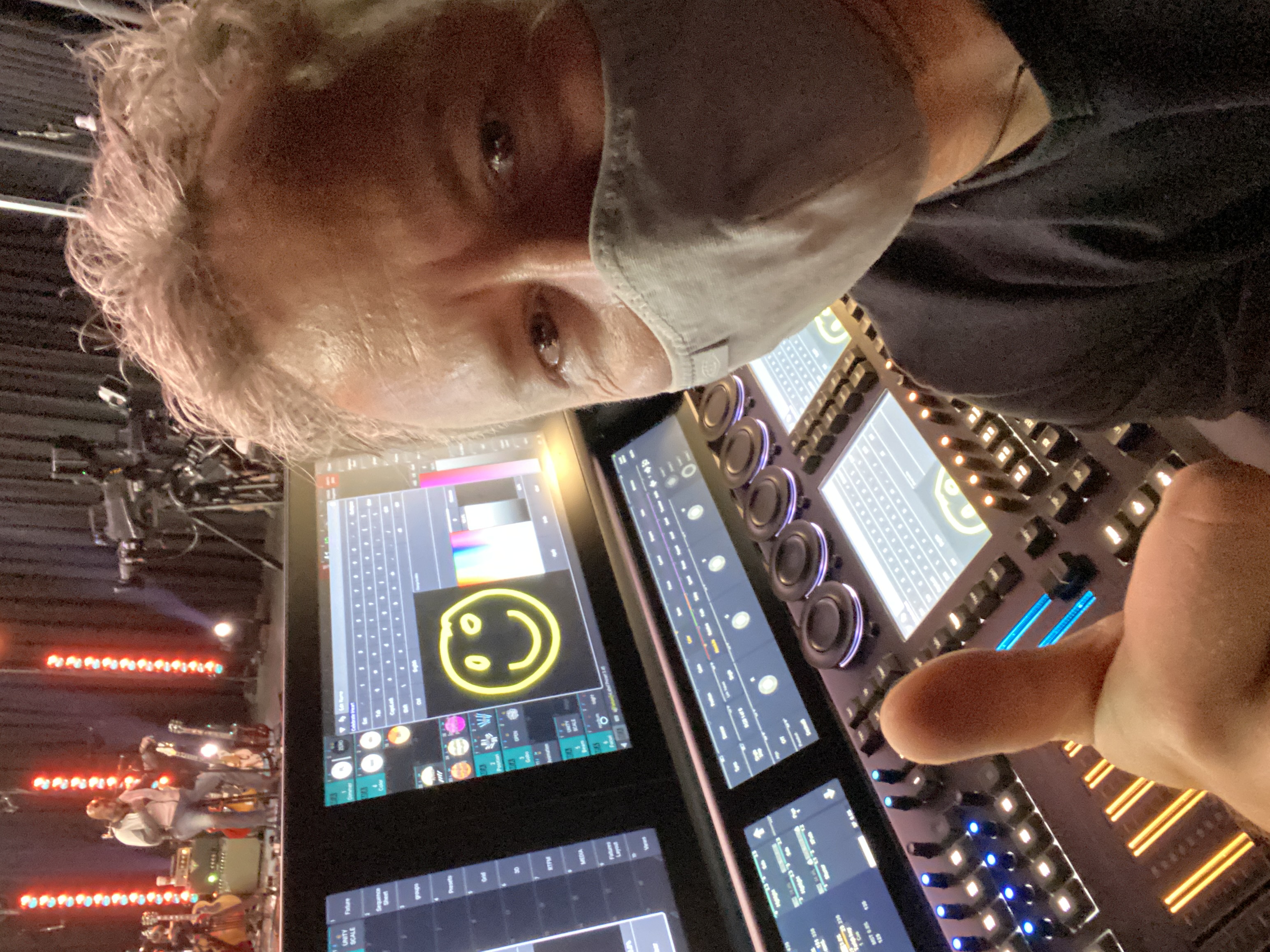
Click To Enlarge Image. Me enjoying the new “Scribbles” feature to label the console during a pandemic-era livestream with Josh Groban using MA Mode 3.
“Scribbles” allow us to draw little doodles that can be used to label pool elements, conjuring the ease of using board tape and a Sharpie to label the console. “Swipeys” are a game changer for lighting console UI, placing the exact commands you might need on the touchscreen next to your fingertip with a swipe down on a pool element. The knobs above the playback buttons allowed me to put a “volume control” inhibitive submaster in a convenient location without taking up one of the faders. There were some weird quirks and crashes in that early version, however I was confident that these would get sorted out with time.
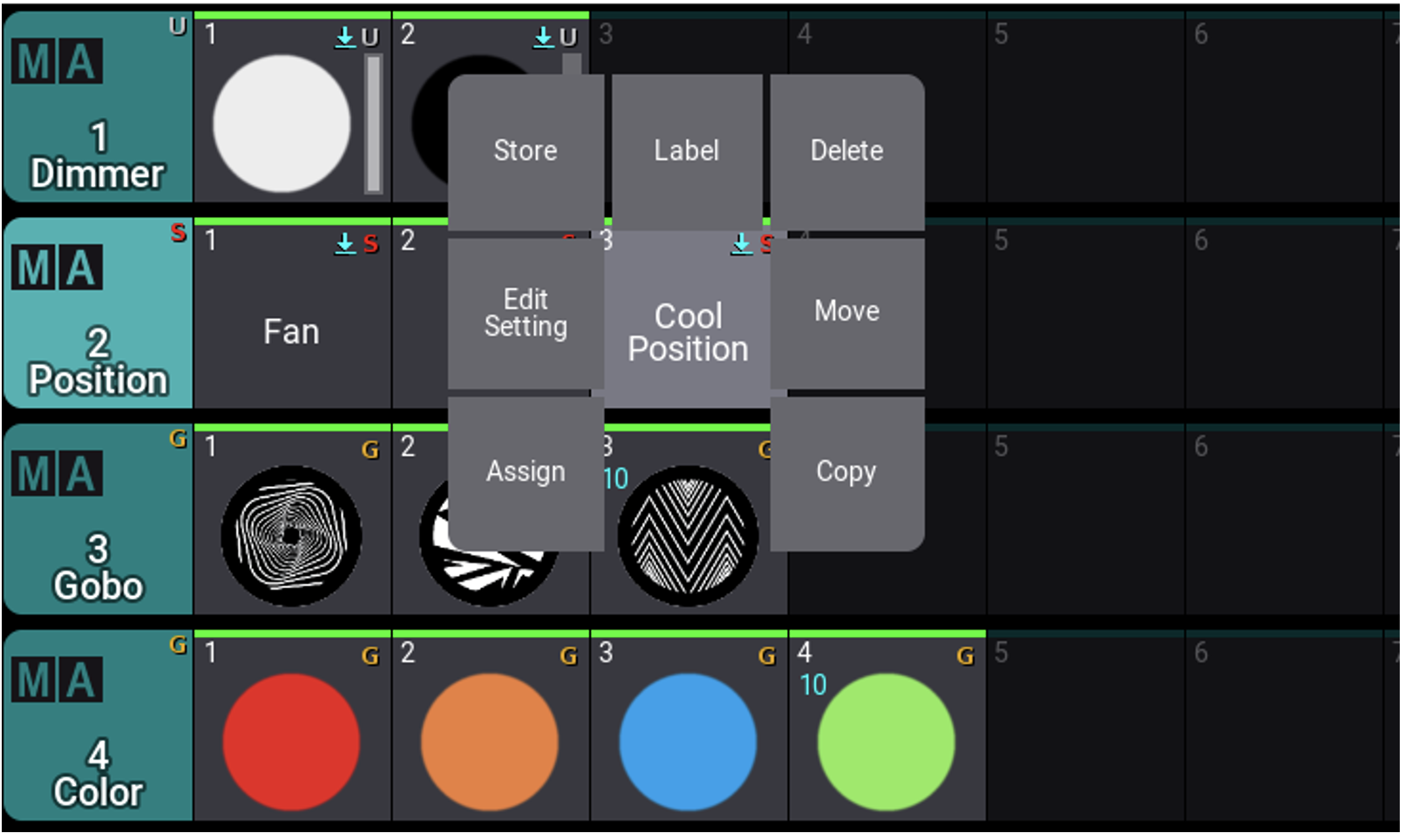
Click To Enlarge Image. MA3 Screenshot of “Swipeys” in action. Touching and swiping down on “Cool Position” in this instance brings up the commands you’re likely to need, right where you need them.
My workflow derailed, however, when I went to program a more complicated rock tour. Most effects that I program begin by creating a custom form, which is essentially a graph that charts the path of a parameter level over time using an unlimited number of points. Trying to recreate this workflow using Phasers in MA3 mode, I just couldn’t get a handle on it. The step-based framework and lack of a complex form editor felt like a step backward. I couldn’t get the results that I sought and gave up in frustration. Could MA not have kept the existing effects engine and just added Phasers as a new option?
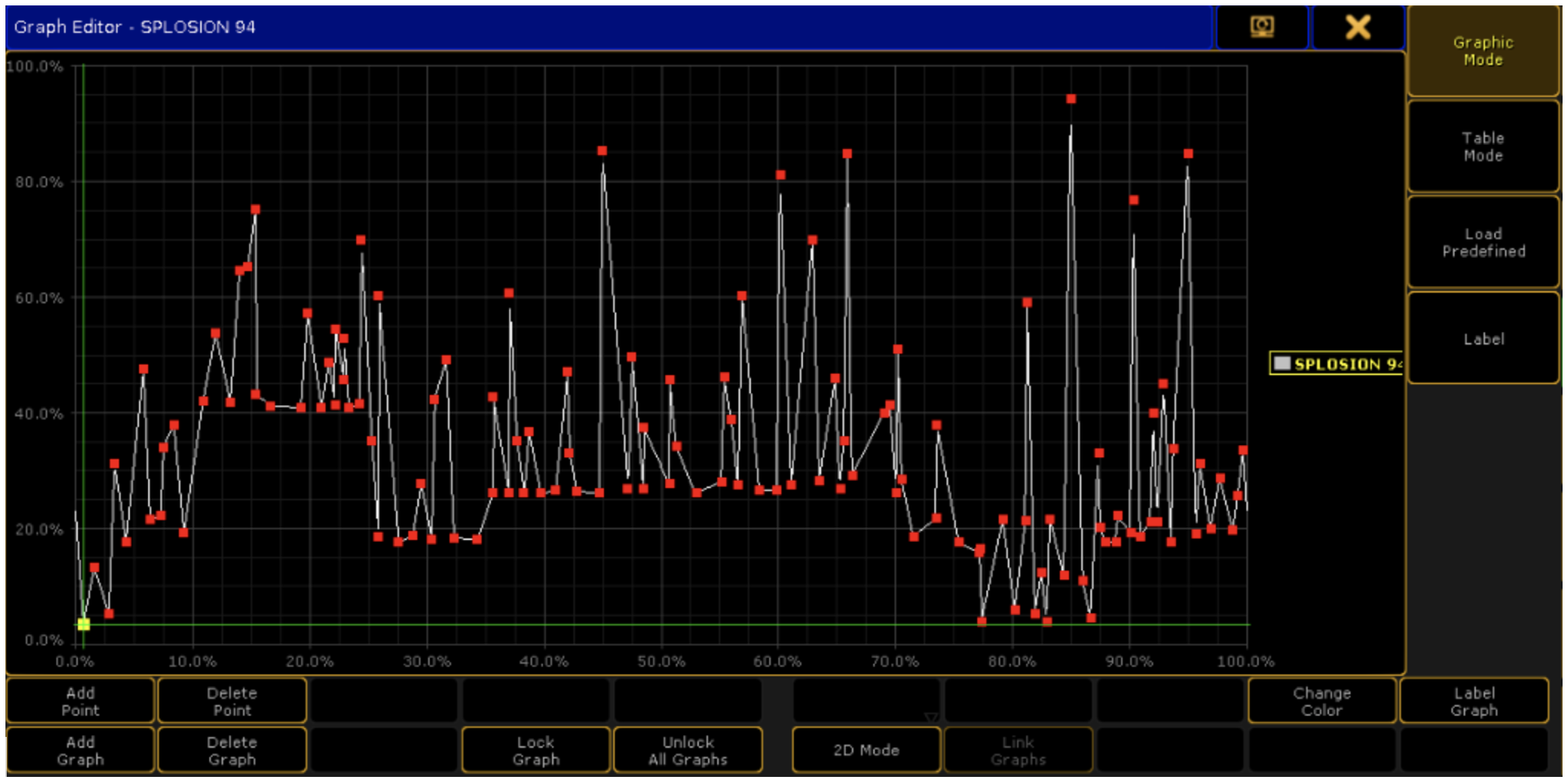
Click To Enlarge Image. MA2 Screenshot of the “Splosion” parameter form that we created for the intro to “Mama” by My Chemical Romance - one of both my favorite forms and songs in the show!
Many power users may have felt a similar frustration after investing a decade in the MA2 workflow only to have it replaced with a completely incompatible new operating system. New versions of MacOS or Windows have always maintained backward compatibility for several years after releasing a major overhaul. How do you explain to an EDM operator with fifty custom LUA plugins and painstakingly curated layout views that their show file is useless in the new OS? Didn’t we go through this years ago with the change from grandMA series 1 to 2? I’m fairly certain that I wasn’t the only console jockey questioning why this blank sheet approach was necessary...
However, over the holidays I took the time to give Mode 3 another look. Two things have convinced me that it’s the way forward.
The first is the inclusion of the “measure” function in the Phasers. This new feature is a huge step toward programming that will encourage effects to be programmed more musically. I’m looking forward to more musical terminology in the new OS: how about whole, half and quarter notes?
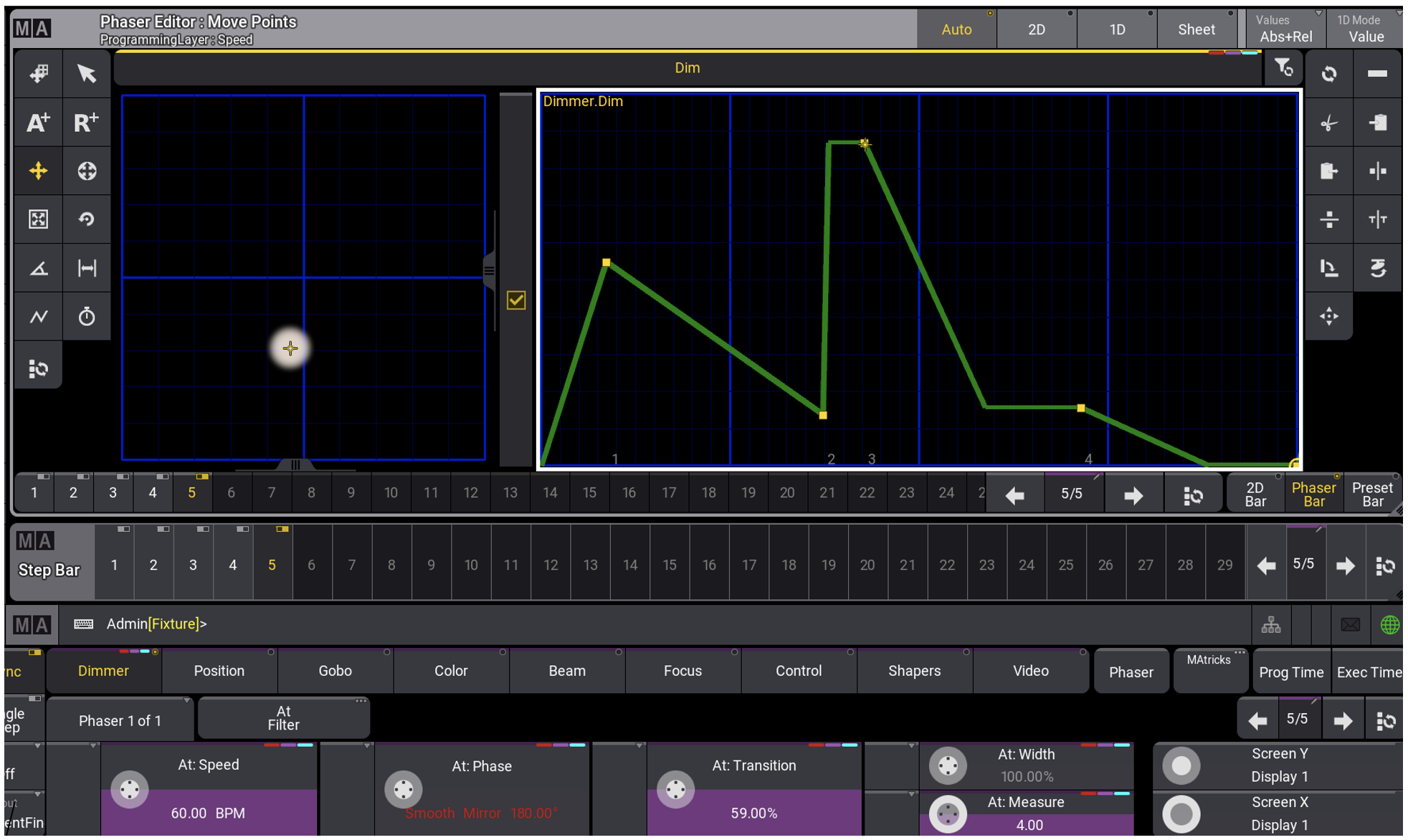
Click To Enlarge Image. The MA3 Phaser Editor looks similar to the MA2 version, although custom Forms are not used. The blue lines behind the waveform indicate the beats of the “Measure” allowing us to edit the Phaser in the context of beats in a bar of music.
An even bigger “aha” moment accompanies the recipe function. Recipes allow the user to add or remove lights from any number of sequences simply by editing a fixture group. I can recall dozens of one-off situations with a touring show where such a feature would have saved hours of programming time. I can’t wait to see novel applications of this function that the army of worldwide MA programmers will discover in the coming years!
The new OS is delightful and ready for prime time. I’m ready to re-imagine my workflow within the new framework. If you are still holding out, it’s time to give it another serious look.
AJ Pen is the founder and CEO of Penlight, and an in-demand lighting and production designer. A career which spans more than twenty-five years has informed and refined AJ’s skill in lighting, set. and production design. Passion for theatre tech in high school and university led to work on the shop floor at Christie Lites, then at a local amphitheater where he experienced his first touring productions as a stagehand and follow spot operator. Opportunities as a lighting programmer and director would evolve ultimately into the role of concert production designer. These fundamental career experiences have honed AJ’s ability to realize an artist’s vision in various venues and countries across the globe. In addition, years of international touring combined with knowledge in all aspects of arena and stadium performance have inspired imaginative, original productions.